PROTECT YOUR TIME, YOUR WORK AND YOUR PEACE OF MIND.
THE RED FLAG CLIENT PROTECTION SYSTEM FOR FREELANCERS
You Saw
The Red Flag Last Time. This Time, Don’t Talk Yourself Out Of It.
Assess risky client behavior, understand what it means, know what to say, and decide what to do next—before a questionable client costs you more time, money, and peace of mind.
Runs in your browser. No login. No subscription. No account creation.
BAD CLIENTS RARELY ANNOUNCE THEMSELVES
It usually starts with something small.
A missed payment. One “quick” extra request that wasn't in the scope. A client who goes quiet the moment money comes up. Another rescheduled call. You notice — but talking yourself out of it feels easier than dealing with it.
“Maybe that’s how they normally work.”
“It’ll only take a few minutes.”
“I’ll give it one more chance.”
And little by little, the question changes from “Is this a red flag?” to “How do I get out of this?”
Unpaid extras. Endless revisions. Lost capacity. Sunday-night dread. Chased invoices.
WHAT YOU WILL GET
An interactive tool.
A red-flag client protection system.
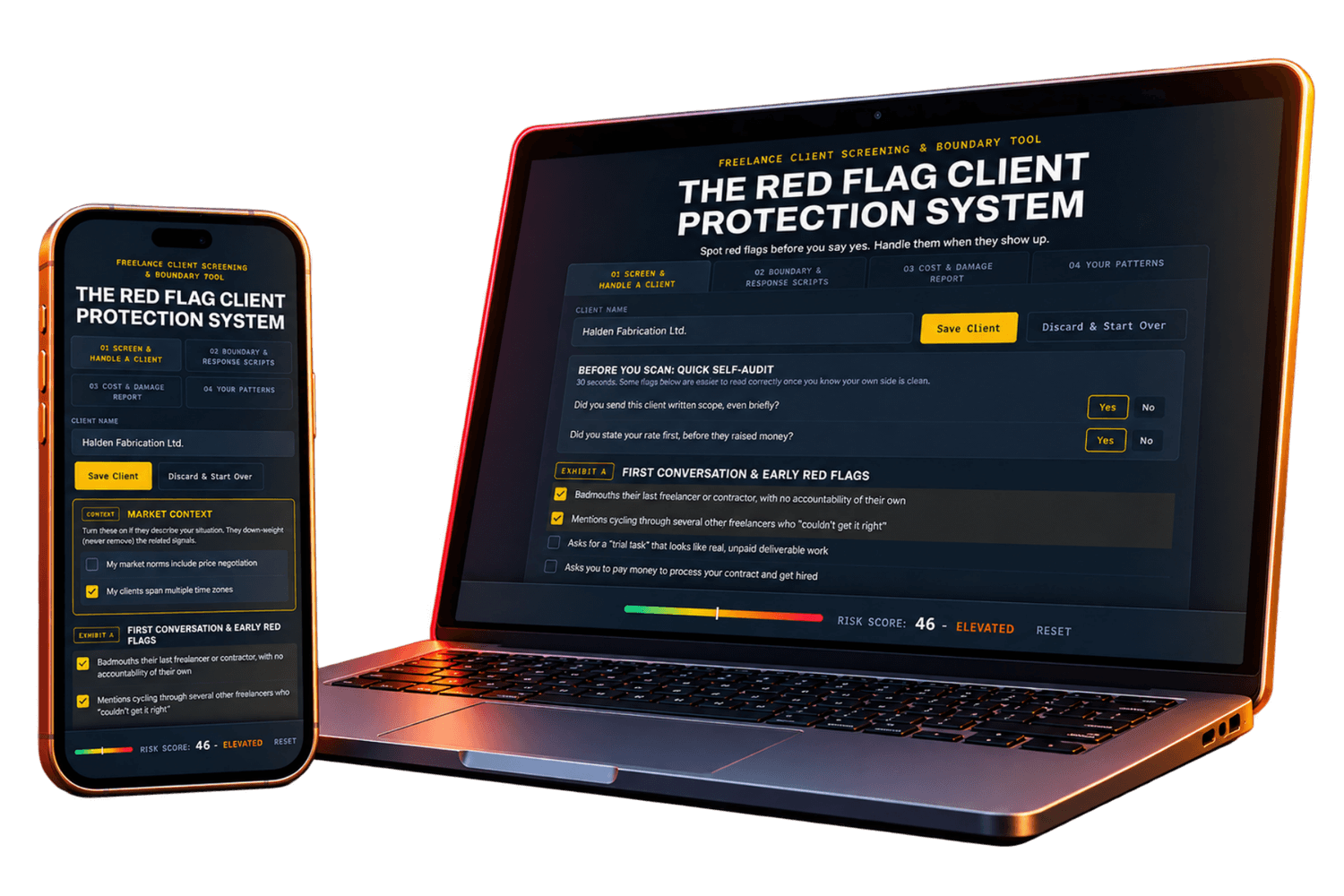
Open it in your browser when you're dealing with a questionable client. Check what happened, get a risk score, know what to say next, and keep a record of what happened. It works on both desk
01

Screen & Handle a Client
Find the signals → understand risk → know what to do next.
43 scored red flags
5 potential threats flags
16 deal breakers
Context-aware risk scoring
Safety-first guidance
03

Cost & Damage Report
See what the client is actually costing you.
Cost & damage calculator
Multi-currency feature
Toll beyond the money
Incident log
Client case summary
PDF export
02

Boundary & Response
Don't just identify the problem. Know what to say and when to say it.
43 scripts
18 decision-support panels
Client behaviors to watch for
Recognize when it's time to escalate
Responses that weaken your positiion
What to say if you need to walk away
04

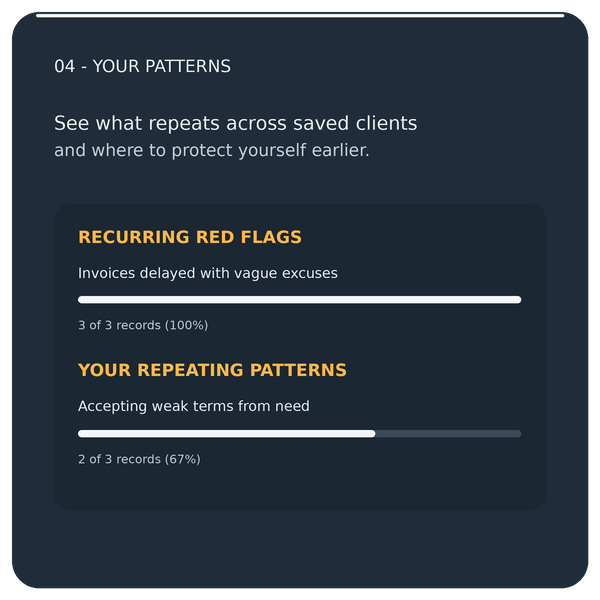
Your Patterns
Stop repeating the same client mistakes.
Client history
Recurring red flags
Boundary patterns
Personalized rules
Backup & restore
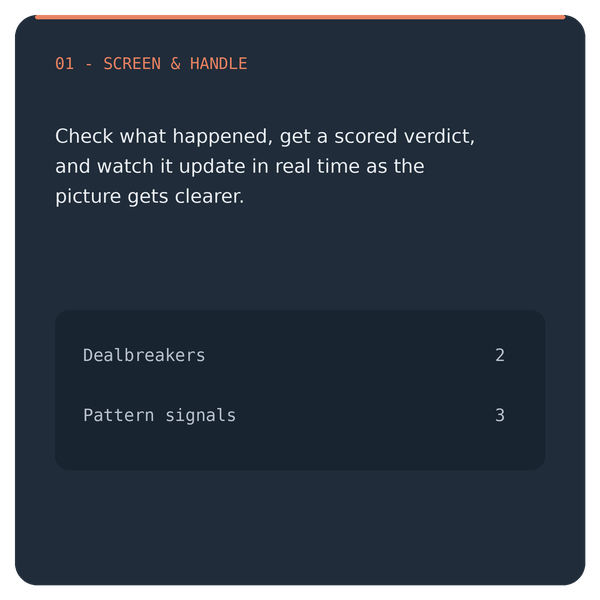
01 Screen & Handle a Client
Find the signals → understand risk → know what to do next.
43 scored red flags
5 potential threats flags
16 deal breakers
Context-aware risk scoring
Safety-first guidance
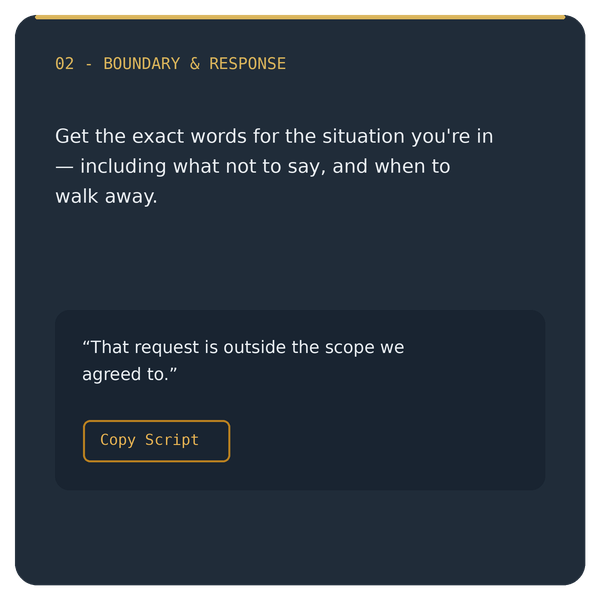
02 Boundary & Response
Don't just identify the problem. Know what to say and when to say it.
43 scripts
18 decision-support panels
Client behaviors to watch for
Recognize when it's time to escalate
Responses that weaken your positiion
What to say if you need to walk away
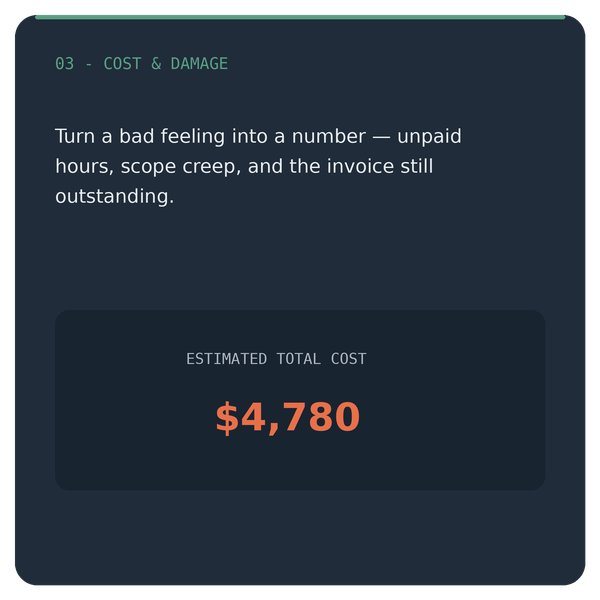
03 Cost & Damage Report
See what the client is actually costing you.
Cost & damage calculator
Multi-currency feature
Toll beyond the money
Incident log
Client case summary
PDF export
04 Your Patterns
Stop repeating the same client mistakes.
Client history
Recurring red flags
Boundary patterns
Personalized rules
Backup & restore
PRODUCT PROOF - NOT EMPTY PROMISES
See how the system thinks.
Here’s what happens when a prospect says:

EXPLORE THE SYSTEM
Everything you need in one place.
Four powerful tabs. One complete client protection system.
IMAGINE HANDLING THE NEXT RED FLAG DIFFERENTLY
What changes when you stop guessing?
“Am I overreacting?”
You replay the conversation.
Assess the behavior.
See the pattern in front of you.
“What should I say”
You type, delete, and soften.
Use professional language.
Protect the boundary and the relationship.
“At least they're paying me.”
You ignore the hidden cost.
Measure the real cost.
Make the decision with clear eyes.
“Am I overreacting?”
You replay the conversation.
Assess the behavior.
See the pattern in front of you.
“What should I say”
You type, delete, and soften.
Use professional language.
Protect the boundary and the relationship.
“At least they're paying me.”
You ignore the hidden cost.
Measure the real cost.
Make the decision with clear eyes.
The goal isn’t to become suspicious or confrontational. It’s to become harder to pressure, harder to exploit, and easier to trust yourself.
"Couldn't I just...?"
“...Google red flags for free?”
Google gives you information. This system gives you a process for deciding what to do when money, a deadline, and a real relationship are involved.
"...ask ChatGPT?”
AI can help—but first you must frame the problem, explain the context, write the right prompt, and judge the answer. Here, the process is already built for this exact decision.
“...trust my gut?”
Your intuition notices things. The system helps you test that feeling against observable behavior—so your next move isn’t driven only by fear, anger, or financial pressure.
One bad client can cost far more than $29.
These are the exact categories the Cost & Damage Report totals up:
Unpaid “quick favor” and scope-creep hours
Free revision rounds beyond what you agreed to
A discount you were pressured into giving
An invoice still unpaid, or written off
Hours spent chasing payment that was already late
$29
One payment · Instant access · No subscription · No account creation.
All sales are final. See FAQ below.
Unpaid “quick favor” and scope-creep hours
Free revision rounds beyond what you agreed to
A discount you were pressured into giving
An invoice still unpaid, or written off
Hours spent chasing payment that was already late
$29
One payment · Instant access · No subscription · No account creation.
All sales are final. See FAQ below.
FAQ
Before you decide
No. Use it before you accept a client or while you’re already working with one. Screen potential clients, assess red flags as they happen, find the right response, document what’s happening, and decide what to do next.
Yes. In fact, that’s a big part of the system. Use it to assess what’s happening, find boundary and response scripts, calculate what the relationship is costing you, and see whether the same patterns have appeared with other clients.
No. The scripts are practical communication templates, not legal advice. Contracts, payment rules, and freelancer protections vary by location, so check your agreement and seek qualified legal advice when needed.
No. It gives you decision support, not a verdict. It helps you see the red flags, patterns, financial impact, and possible next steps more clearly so you can make your own informed decision.
Because this is a downloadable digital product, all sales are final. Please review the product details before purchasing. If you have trouble accessing or opening your file, contact us and we’ll help you get it working.
Your records are stored locally in your browser on your device. The system doesn’t send your client information to an external account or database. Because browser data can be cleared or lost, regularly export a backup of records you want to keep.
Yes. You can export your saved client records as a backup and import them again when needed. This is especially useful before clearing browser data, changing browsers, or moving to another device.
Independent freelancers who work directly with clients—including designers, writers, developers, virtual assistants, consultants, marketers, and other service-based freelancers. It’s especially useful when you’re unsure whether something is a genuine red flag or simply a difficult moment that needs a clear boundary.
No. It’s a standalone HTML tool that opens in your web browser. There’s no app to install, account to create, or monthly subscription to maintain.
Download the HTML file and open it in your browser. You can screen a potential client or assess one you’re already working with by selecting the behaviors you’ve noticed. The tool shows a risk score and guidance on what to do next. You can then use the response scripts, estimate what a difficult client has cost you, and review patterns across your client history.
YOUR NEXT DIFFICULT CLIENT PROBABLY WON'T LOOK DIFFICULT AT FIRST
You can’t control who turns into a difficult client. You can control how long it takes you to recognize it—and what you do next.
One payment · Instant access · No subscription · No account creation.
Red Flag Client Protection System · A decision-support tool for Freelancers